

Paywall
Put premium content behind a paywall and give subscribers access
Choose which articles are premium, how many free articles readers get and which plans they see. Readers subscribe without leaving the article, and subscribers read on every device.
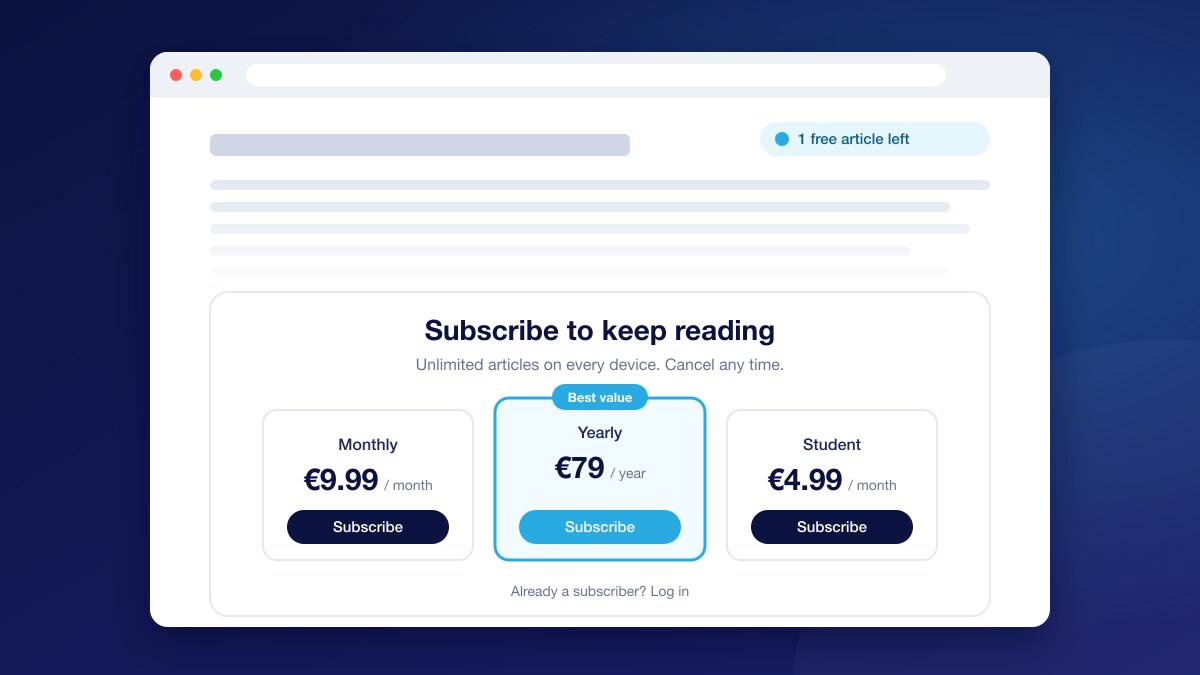
Plans and checkout in the article
Up to three plans with the best value highlighted. Readers pay in a checkout window and the article unlocks straight away.
Metered, hard or dynamic
Give a number of free articles a day, week or month with an articles left banner, or wall every premium article.
Premium text stays on your server
Send only the preview to the page, and let subscribers fetch the rest from your server with a UniSignIn access token.
What is a paywall?
A paywall limits access to content until the reader pays. It lets publishers earn from readers directly instead of relying only on advertising.
- A hard paywall locks content for everyone who is not a subscriber
- A metered paywall gives a few free articles first, then asks readers to subscribe
- A registration wall asks for a free account first, which is often the step before a paywall
One wall for every model
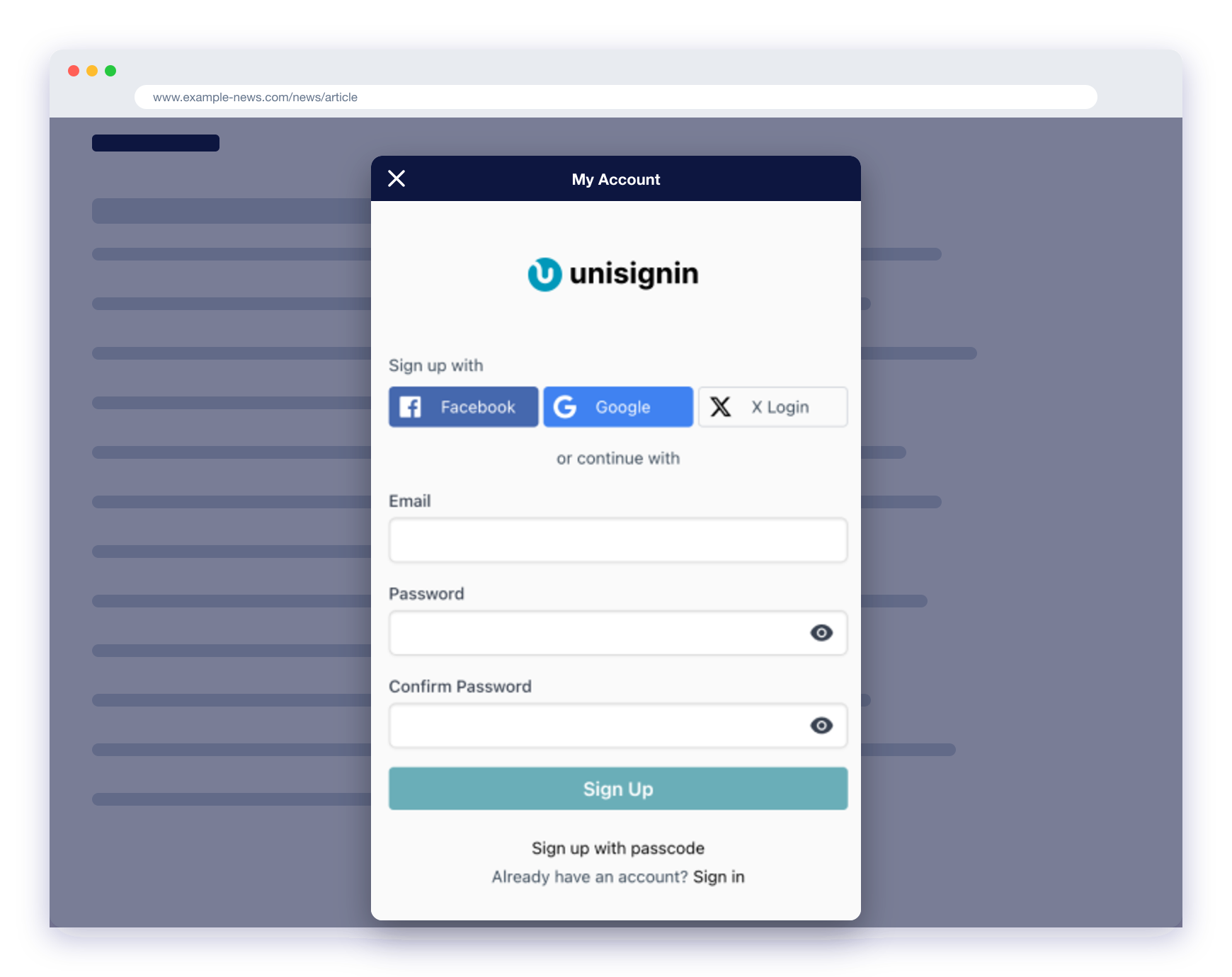
The Access Wall covers sign-up walls, paywalls, metered walls and sign up, then subscribe, inline in the article or as an overlay. Start from a template and style every part to match your site.
- A free account for a few more articles, then the plans
- Unlock with any active subscription, or only with the plans you choose
- Never shown to readers who already subscribe
Decide who meets the paywall
Show the wall with Orchestration rules on page context and the reader profile, or with a Journey that reacts to what the reader does on the page.
- Premium sections only, or articles with a given meta tag
- A stricter meter for readers from search and a softer one for loyal readers
- Test two walls against each other and keep the one that converts

Subscribers read on every device
Access comes from the reader’s account, not the browser. A subscriber who logs in on a new device or another of your sites is recognised straight away.
- Subscribe and log in from the same account area
- Change plan or cancel in the Account Center
Questions
Do I need to change my CMS to add a paywall?+
No. The paywall is added by the UniSignIn tag and configured in the dashboard, where you set where the article body starts and how much of it readers see. Protected content is optional and needs one URL on your server. On WordPress, the UniSignIn plugin provides that URL for you.
Can readers get round the paywall?+
With protected content, the premium text is never sent to readers who have not paid, so there is nothing to uncover in the page.
Can readers pay for one article instead of subscribing?+
Yes. Combine the paywall with micropayments so readers can buy single articles.
Can I test a softer approach first?+
Yes. Let readers close the wall, give them free articles first, or A/B test two walls with a Journey before making one required.
Where do I set up plans and prices?+
Plans, prices, trials and coupons are managed in UniSignIn Commerce, and paid through Stripe.
Try it on one of your sites
Create an account and add the tag, or ask us to walk you through it.
Stay ahead in first-party data
Identity, consent, audience, and subscription insights for publishers. A few emails a month, no spam.